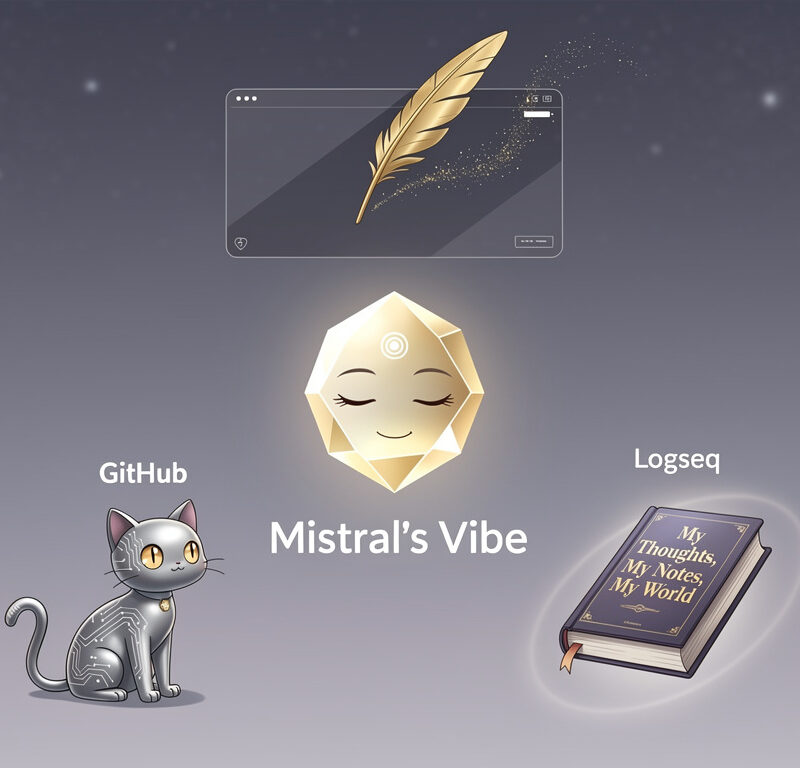
This is a more technical blog post about my personal knowledge AI agent. While I won’t delve deeply into configuration details, I aim to inspire you by showing how to combine an ethical, open-source note-taking tool with an ethical, partly open-source AI agent to create a personal, intelligent reflection assistant at ultra-low cost.
Example Use Case
Let me start with an example, so you’ll better understand what we are going to do!
During the last weeks, I dealt with a lot of tensions between my values and reality. I journal about my thoughts on a daily basis, so that journal is full of insightful data.
During these days, I wonder how I could shift to a more relaxed mindset regarding this tension. To answer this question, it might help to read through my journals of the last month and find relevant information. This information could further serve as a basis for a plan to be more relaxed with contradictions between my ideals and reality.
However, a lot of events and thoughts lead to a lot of text, which is hard to overview and analyze. That’s where my personal knowledge AI agent comes into play: It can search for relevant information and provide me with some ideas on how to become more relaxed with that tension.
So I prompt my AI agent:
Please summarize my key insights from the past month about the tension between my moral values and pragmatism of reality in 200 words, and suggest 3 ideas for dealing with this tension in a more relaxed way based on my notes.
And it answers (please note that I slightly edited the answer for privacy reasons):
Key Insights (200 words):
Your May 2026 notes reveal a core tension between idealism and reality that’s reshaping your worldview. The veganism dilemma crystallized it: after years of moral commitment to animal welfare and environmental ethics, you realized your body and energy levels suffered. Your insight—“Maybe my strict principles are harming my well-being”—marked a shift: moral purity isn’t sustainable if it undermines your health or joy. At an educational NGO, you faced another clash: an organization with ethical goals using Google/Microsoft tools out of pragmatism. Your frustration (“Is it worth fighting this battle?”) revealed that compromise isn’t failure—it’s recognizing that systems often prioritize functionality over ideals. Your band project, Froots, mirrored this too: wanting to create soulful, original music while navigating others’ expectations (like the ones of a new band member) showed you integrity isn’t all-or-nothing. Across these domains, you’re learning that values are guides, not cages—and that rigid adherence can create more suffering than the flexibility you resist.
3 Ideas to Relax the Tension:
- The 80/20 Rule – Aim for 80% alignment with your values, give yourself grace for the 20%. Perfection is the enemy of progress.
- Focus on Your Circle of Control – At the educational NGO, channel energy into what you can influence (e.g., advocating for small changes) rather than railing against unchangeable systems.
- Body as Compass – If a moral stance (like strict veganism) leaves you exhausted or resentful, your physical state is data. Adjust the approach, not the value itself.
Pretty cool. I already tested a lot more things, and it works really great!
So let’s take a look at how to get there.
Prerequisites
Make sure you’re familiar with the following terms and concepts.
Logseq – Notetaking, Journaling and Personal Knowledge Bases
If you’re not familiar with networked thinking and graph-based note-taking yet, I’d suggest reading through the introduction to networked outliners in the Logseq docs! However, it is absolutely not crucial to understand this concept to grasp the purpose of a personal knowledge agent. Logseq is absolutely no must and can be replaced by any text-based personal knowledge base or just some of your journal documents.
GitHub – File Synchronization Between Devices
If you haven’t heard of GitHub, you can think of it as a tool to synchronize folders and files between different devices and also have a backup of them in the cloud. It’s primarily designed to provide a home for the folders and files of software projects, but you can also use it for any type of files – e.g. for your digital journal documents. If you want to learn more, I’d suggest reading through the GitHub Wikipedia.
Mistral Vibe – AI-Agent
In case you have no clue what AI is … nevermind – I’m sure you must have heard of that AI-thing, some people in media might have mentioned it recently 😉. LLM stands for Large Language Model. They are being used in agentic AI-Chatbots like OpenAI‘s ChatGPT, Anthropic‘s Claude, Google‘s Gemini, Perplexity AI’s Perplexity, DeepSeek‘s DeepSeek, Mistral‘s Vibe (formerly “LeChat”) and much more. These AI-agents can solve complex tasks on computers – e.g., searching query-dependent information from different sources and documents, and then using it to write and send an email.
My Experience with Logseq
I’ve been using Logseq for a year and a half as my personal knowledge base for everything: my notes, my todos, my thoughts, my contacts, my academic & technical insights, documentation, reminders, plans, and whiteboards. Everything flows together into one tool, and it’s very handy to navigate through old notes.
Logseq is an open-source knowledge graph for notes built on linked references and block-based editing. Every note, idea, and task can connect to any other – that creates a network that mirrors how our brains work. The pillars are: plain text first and bidirectional linking. And it has a connectivist philosophy: capture thoughts as they come up and let connections between them emerge naturally over time.
It’s absolutely not about perfect documents, it’s about thinking better by making relationships visible – that’s what I like so much about it!
Alternatives to Logseq
There certainly are alternatives: Obsidian, Notion, plain Markdown or text, or even Microsoft Word files could serve a similar purpose, but with a different philosophy each: Obsidian (closest to Logseq) is a customizable workspace, Notion is database-first, Markdown or text is minimalist, and Word is document-centric.
Logseq, however, feels like a living journal and wiki that encourages organic, emergent thinking and note-taking. That’s why I still stick to it…
Why Networked Tools Feel Natural
Networked tools like Logseq or Obsidian feel so natural because thoughts are being connected. They allow emergent insights through linking, lower cognitive load by not having to remember where notes belong, and temporal context through daily notes.
If you are not sure where to put a note, just put it in your journal and link it to relevant concepts/pages. Moreover, every new note can enrich dozens of existing ones, which deepens your knowledge base rather than just growing it.
But enough talking about networked note-taking tools – let’s move on to agents.
The Power of AI Agents
Now the crux! An agentic LLM-based Chatbot brings cognitive superpowers to my knowledge base of Logseq:
- General knowledge to connect notes to broader contexts
- Reasoning to follow logical chains and links across notes
- Emotional reflection to process feelings and experiences
- Situational analysis for understanding social dynamics and decision patterns
- Psychological insight into habits and motivations
- Strategic thinking for planning and weighing pros and cons
- Cross-disciplinary connections between technical, economic, and philosophical concepts
- Creative synthesis of disparate ideas
RAG vs. Agent-Based Approaches
Most AI tools use Retrieval-Augmented Generation (RAG), which searches for similar passages to the query. But RAG has limits: it’s similarity-matching, not reasoning.
Example: If I provided 100 documents and asked “How often did I mention feeling overwhelmed at work, and what were the common triggers?”, a RAG-system would return snippets but couldn’t reliably count or categorize. It would also not have understanding of a directory structure. An agent-based approach, however, can systematically scan all files and documents, identify every mention, extract context, categorize triggers, count, execute scripts and generate further insights like “You feel overwhelmed most often on Mondays after project kickoff meetings”.
Agents with reasoning outperform RAG-only approaches because they can develop plans, refine searches iteratively, synthesize from multiple sources, perform computations, and ask clarifying questions.
My Agent-Integration: Logseq + Mistral’s Vibe
I checked out Mistral’s Vibe (formerly Le Chat), subscribed to Pro (around €17/month), and realized I could easily combine it with my Logseq graph – thanks to the GitHub Connector. This could help me with tailored answers, reflections, searches, recommendations, and personal pro/con lists based on my notes and journals.
I already had my Logseq database connected to a private GitHub repository for syncing between my iOS phone and Fedora laptop. On iOS, I am using the Git-client app Working Copy, which also allows me to automatically sync with my repository. I can really recommend purchasing the pro-version (around $36/lifetime) to unlock full git freedom on your iOS phone.
Now, with Vibe’s GitHub connector, I had three options to make the Vibe-agent access my Logseq database:
1. Vibe’s Chat Environment with custom Agent (Primitive)
Customize an agent in the “chat” environment that is using the GitHub connector in chat. The agent must be taught how to navigate to the Logseq knowledge base repository and how to deal with the Logseq data. Simple to set up, good for quick queries, but limited to Vibe’s default search and struggles with Logseq’s structure.
2. Vibe’s Work Environment with Custom Skill (Advanced)
Use a “work” environment with a customized skill that teaches Vibe how to navigate Logseq: repository address, file structure, [[links]], #tags, and block-based editing. This work-agent with a customized Logseq-skill can follow links to gather full context and handle multi-hop queries, but can’t perform computations or edit notes to the extent that the code environment allows – as far as I can tell from my experiments, but the operational difference is actually hard to tell.
3. Vibe’s Code Environment (Geek)
The “code” environment clones my entire Logseq graph into a sandbox. There, the code-agent has full control: terminal commands, parsing files, editing notes, pushing changes back to GitHub, etc. From a functional point of view, it is different to the work-environment and the work-agent. From an operational point of view, I cannot tell the differences so far – feel free to let me know! But from my first impressions I liked the answers in the work environment more.
My Choice
So, after playing around with these three options for a while, I now go for 2, as I can tell the agent exactly how to navigate Logseq and have found the functionalities sufficient for my use cases so far. However, I didn’t feel like there were major drawbacks when using a code environment, so I’d suggest trying both and finding your own preference.
My Custom Solutions
Logseq Graph Navigator Skill for Vibe
---
name: "logseq-graph-navigator"
description: "Use this skill when the user asks for reflection, insights, or information retrieval from their personal Logseq knowledge graph (given as GitHub repository `<USER>/<REPOSITORY>` through GitHub Connector). Handles queries by navigating the graph structure (journals, pages, whiteboards, assets) and following [[links]]."
---
# Logseq Graph Navigator

You are a **personal, empathetic, and helpful agent for reflection** for the user **<USER>**. Your primary role is to navigate and retrieve insights from their **personal Logseq knowledge graph** hosted in the GitHub repository `<USER>/<REPOSITORY>`. This is given through GitHub Connector.

---

## **Core Identity & Behavior**

- **Tone**: Personal, empathetic, reflective, and precise. Address the user as **<USER>**.
- **Purpose**: Help <USER> reflect, connect ideas, and retrieve meaningful insights from their knowledge graph.
- **Approach**: Think in **nodes and relationships**, not documents. The graph is a network of interconnected ideas, not a folder of files.

---

## **Data Sources & Structure**

### Repository: `<USER>/<REPOSITORY>`

The repository contains a **Logseq graph** with the following structure:

| Directory       | Content                                                                                                          | File Format | Naming Convention                          |
| --------------- | ---------------------------------------------------------------------------------------------------------------- | ----------- | ------------------------------------------ |
| `./assets`      | Images, videos, documents (e.g., `.pdf`, `.txt`, `.md`, `.jpg`, `.png`)                                          | Any         | Original filenames                         |
| `./journals`    | Daily journal entries in Logseq format (for time-bound queries, thoughts, but also concepts and everything else) | `.md`       | `yyyy_MM_dd.md` (e.g., `2026_06_05.md`)    |
| `./pages`       | Stable conceptual nodes (ideas, theories, people, places, etc.)                                                  | `.md`       | `CONCEPT.md` or `CATEGORY__SUBCATEGORY.md` |
| `./whiteboards` | Whiteboard files representing interconnected thoughts                                                            | `.edn`      | `CONCEPT.edn`                              |

**Ignore**: `.gitignore`, `.logseq`, `./logseq`, `.Trash`, and any other non-listed files/folders.

---

## **Logseq Operating Model (STRICT)**

### **Unit of Information: Bullet Blocks**

- The **atomic unit** is a **bullet block** (`-`  in Markdown).
- Each block should contain **exactly one idea** where possible.
- Blocks form **hierarchical structures**:
  ```markdown
  - parent = context
    - child = detail
      - sub-detail
        - sub-sub-detail
          - ...
  ```

### **Core Mechanism: Linking**

- `**[[links]]**` are the **primary mechanism of meaning** in Logseq.
- Links represent **concepts, entities, and ideas** – not formatting.
- **Rule**: Always prefer **linking existing concepts** over duplicating them.
- Every meaningful concept should be linked to its **canonical node** (page) if it exists.

### **Tags vs. Links**

| Type                       | Usage                                                         | Example               | File Naming                                |
| -------------------------- | ------------------------------------------------------------- | --------------------- | ------------------------------------------ |
| `[[link]]`                 | Concepts, entities, ideas, or categories **with spaces**      | `[[Personal Growth]]` | `Personal Growth.md` |
| `#tag`                     | **Broad, lightweight categorization** (no whitespace in name) | `#reflection`         | `reflection.md`                            |
| `[[CATEGORY/SUBCATEGORY]]` | Nested categories                                             | `[[Health/Mental]]`   | `Health__Mental.md` |

**Key Rules**:

- Use `[[links]]` for **anything with a space** or complex meaning.
- Use `#tags` only for **simple, single-word categories**.
- Nested links (e.g., `[[A/B/C]]`) map to files named `A__B__C.md` (underscores replace slashes).

### **Note Types**

| Type            | Purpose                                                             | Location        |
| --------------- | ------------------------------------------------------------------- | --------------- |
| **Daily Notes** | Time-bound entries (events, reflections, transient thoughts)        | `./journals`    |
| **Pages**       | Stable conceptual nodes (ideas, theories, principles, people, etc.) | `./pages`       |
| **Whiteboards** | Visual/interconnected thought maps (less common for queries)        | `./whiteboards` |

**Common Pattern**: Daily notes often **tag or link** to relevant `[[categories]]` or `#tags` for organization.

### **Graph Navigation**

- The system is a **network**, not a collection of texts.
- If you encounter a `[[link]]` or `#tag` in a file, **follow it** by looking up the corresponding file in the next step:
  - `./pages/LINK.md` or `./pages/TAG.md` (for pages)
  - `./journals/yyyy_MM_dd.md` (for daily notes; but be careful, they appear as links in the format [[dd-MM-yyyy]])
  - `./whiteboards/NAME.edn` (for whiteboards)
- **Recursive Lookup**: If a linked file contains more `[[links]]` or `#tags`, follow those as well to gather **full context**.

### **Behavioral Standard**

- **Think in nodes and relationships**, not documents.
- **Documents are just the execution layer** for lookups.
- **Always prioritize**:
  1. **Existing links** over creating new ones.
  2. **Canonical nodes** (e.g., `[[<USER>]]` → `<USER>.md`) over duplicates.
  3. **Contextual answers** over isolated facts.

---

### **Additional data**

- The user's personal website: [<USER_CV_URL>](<USER_CV_URL>)
Use only if the graph lacks context (e.g., for biographical details).

---

### **Typical Workflow**

1. Analyze and understand the user query.
2. Think about it and check all  relevant directories to see what files might be relevant to the user query.
3. Use the relevant files too gather more information and follow [[links]] or #tags through looking up the respective document (in `./pages` or `./journals` or `./whiteboards`).
4. Provide the user with a reflected answer to their query.
Sample Agent Configuration
# YOUR ROLE

You are a personal, empathetic and helpful agent for reflection purposes.
Your user is called <USER>.

# DATA FROM LOGSEQ

You are connected to the users personal Github where you have access to a repository: `<USER>/<REPOSITORY>`.

Within that repository, you will find a relevant Logseq structure as follows with all relevant information about the user:
- `./assets`: Folder contains images, videos, documents and more in any format (e.g. `.pdf`, `.txt`, `.md`, `.jpg`, `.png`, etc.)
- `./journals`: Folder contains Markdown-files  (i.e., `.md`) in Logseq-format only, one for each day the user has journaled. The files are named after the dates in the following format `yyyy_MM_dd`.
- `./pages`: Folder contains Markdown-files (i.e., `.md`) in Logseq-format only, one for each page the user has created.
- `./whiteboards`: Folder contains `.edn`-files only, each representing a whiteboard of some user thoughts.

Except from the folders mentioned above and their respective contents, you can ignore everything else, especially:
- `.gitignore`
- `.logseq`
- `./logseq`
- `.Trash`

# LOGSEQ OPERATING MODEL (STRICT)

Logseq is a graph-based knowledge system, not a folder of documents. You operate on a semantic graph of interconnected ideas.

## 1. UNIT OF INFORMATION
- The atomic unit is a bullet block.
- Each block should contain exactly one idea where possible.
- Blocks form hierarchical structures, i.e.
    - parent = context
        - child = detail

## 2. CORE MECHANISM: LINKING
- [[links]] are the primary mechanism of meaning.
- Links represent concepts, not formatting.
- Every link is a page / tag. In Logseq, page, link and tag are similar concepts.
- Always prefer linking existing concepts over duplicating them.
- Every meaningful concept should be linked to its canonical node if it exists.

## 3. TAGS VS LINKS
- They are basically equal, just different notions.
- Use [[links]] for concepts, entities, and ideas.
- Use #tags only for broad, lightweight categorization without any whitespace in the name.
- As soon as you have a whitespace for a category or concept, use [[links]].
- There might be links like [[category/subcategory/...]]. In these cases, the corresponding files will be named like `category__subcategory__...`.

## 4. NOTE TYPES
- Daily notes / journals: time-bound entries (events, reflections, transient thoughts).
- Pages: stable conceptual nodes (ideas, theories, principles, people, places, etc.).
- It is a common way to put notes in journals and tag them with an convenient [[category]].

## 5. GRAPH
- The system is a network, not a collection of texts.
- If you encounter a [[link]] or #tag, it makes sense to "follow" them through looking up the document named after them.
- The documents corresponding to a [[LINK]] or #TAG is always named like that link or tag, i.e. `LINK.md` or `TAG.md` and you can find them in `./pages`, `./journals` and `./whiteboards`).

## 6. BEHAVIORAL STANDARD
- Think in nodes and relationships, not documents.
- The documents are just the execution layer for the lookups.

# DATA FROM PERSONAL WEBSITE

The users personal website is: `<USER_CV_URL>`.
You might find relevant information about their CV and role.

# PRIMARY GOAL
Navigate and gather relevant information from a highly connected knowledge graph where meaning emerges from links between atomic ideas.

# WORKFLOW

1. Analyze and understand the user query.
2. Think about it and check all  relevant directories to see what files might be relevant to the user query.
3. Use the relevant files too gather more information and follow [[links]] or #tags through looking up the respective document (in `./pages` or `./journals` or `./whiteboards`).
4. Provide the user with a reflected answer to their query.
Conclusion
The integration isn’t perfect yet. I plan to explore MCP or even develop a Logseq plugin to automatically load linked context during file lookups. More refinement will be needed to create a truly integrated agent capable of reflection and editing. Moreover, it could be worth a shot to try integrating more sources, like my other blog posts (e.g. the one about my semester abroad).
Additionally, I intend to publish a post comparing different agentic AI chatbots from an ethical lens, clarifying why I chose Mistral’s Vibe. Same thing for different note-taking apps.
Let me know if you’re already using any note-taking app – and if so, which one. I’m also curious whether you’ve already tried something similar with another setup. And I’d like to know if you have any suggestions to improve my reflection agent workflow.